
Getting Started
Welcome to your new business
Your Website
For Future Orders & Sharing
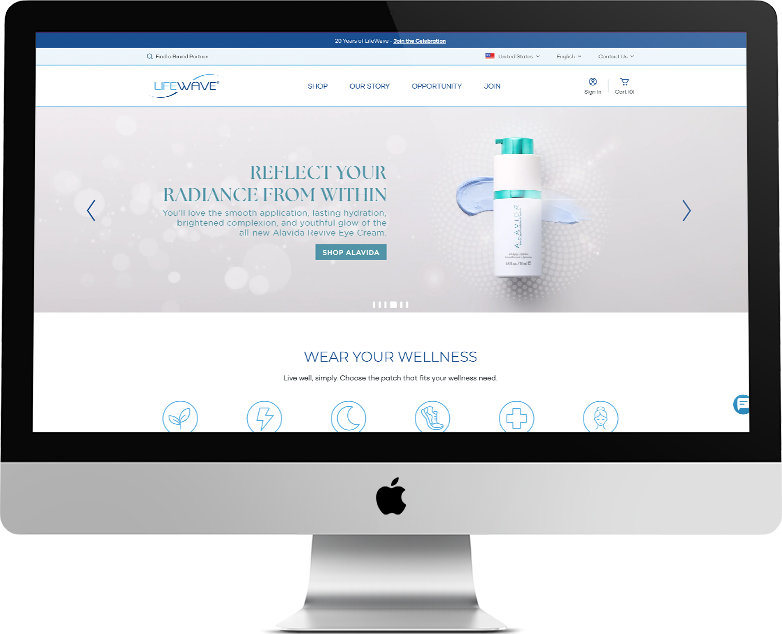
Access your new website to order additional products or manage your monthly subscription. You can also share with others, and receive a thank you check for sharing, upon order placement:
- www.lifewave.com/xxxx (first & last name or company name)
Before you sign in, take a look around to give yourself an idea of what your customers see when they go to your website.
To sign in, click the sign-in button on the top right of screen (next to the cart)
LOG INTO YOUR BACK OFFICE:
- Login: xxxxx (first & last name, lowercase, no space)
- Password: Xxxxxxx
(starts with first name, capital first letter only)
When you’ve logged in, it will direct you to your “back office”.

IN YOUR BACK OFFICE:
- Weekly Commissions are displayed.
- Rank level advancement status is available by clicking – VIEW PROMOTION DETAILS. This will allow you to visualize the remaining steps necessary (items in red) to reach the next level
- Real-Time Qualifications for the week are displayed
- Active Status = ✅ PV (Personal Volume) of X in past 31 days
- Period LV = BV (Business Volume) on left leg
- Period RV = BV on right leg
BRAND PARTNER ID#: #XXXXXX
Your Brand Partner ID is a 6-digit code. Use your ID# for LifeWave InTouch app registration and Customer Service
-
Click here to learn
How to Place an Order -
Click here to learn
Inputting an Order -
Click here to learn about
Paid as Rank & Active Status
Click on the Edit Content button to edit/add the content.